MongoDB configuration
Configuring MongoDB storage is basically just creating an user, which has permissions to read and write to a database.
When using MongoDB atlas you setup your project. By default you should have (or you should be asked to add) a user, which is in role of a admin.
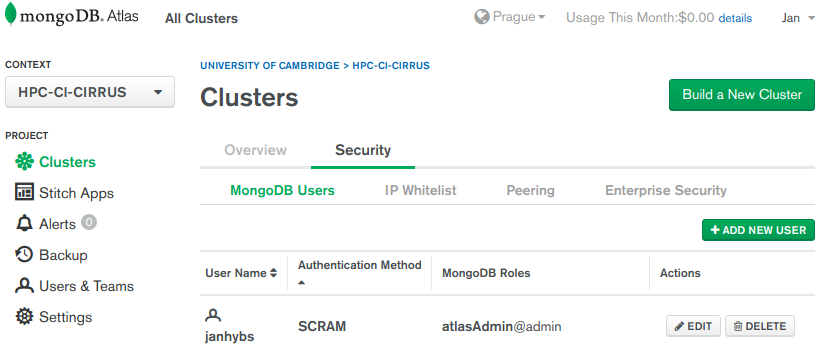 mongodb-users
It is recommended to add another user, who can write to any database:
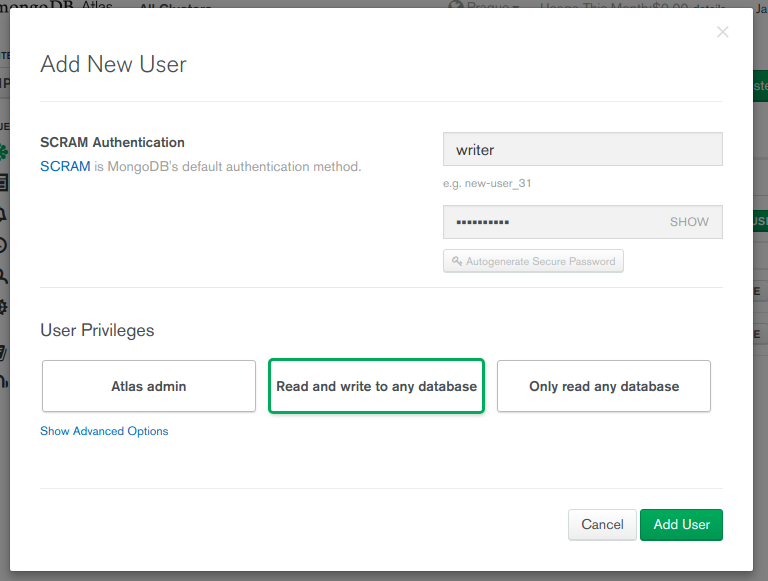 mongodb-new
After the user is created you need to create a file secret.yaml inside
cfg directory. Make sure only owner can read this file as it will contain username, password and server to the MongoDB database.
secret.yaml structure
The file can contain configuration for multiple project, the main section is same as
the name of your project (e.g. hello-world). To setup connection to a db server
create section databaseThis section can contain several options but all of them are passed
to the construcotr of the python’s
pymongo.mongo_client.MongoClient constructor. Please refer to api.mongodb.com for further information.
Take a look at the example of the secret.yaml file here.
If your MongoDB server is not hosted, you must setup MongoDB authorization (for example via /etc/mongodb.conf):
# /etc/mongodb.conf
net:
  bindIp: 0.0.0.0
  port:   27017

security:
  authorization: enabled
secret.yaml examples
Example 1 (single host):
hello-world:
  database:
    host:           [mongodb.server.example.com:27017]
    connect:        true
    authSource:     admin
    username:       writer
    password:       password-here
Example 2 (mongodb configuration with 3 hosts):
hello-world:
  database:
    host:
      - cluster0-shard-00-00-foobar.mongodb.net:27017
      - cluster0-shard-00-01-foobar.mongodb.net:27017
      - cluster0-shard-00-02-foobar.mongodb.net:27017
    replicaSet:     Cluster0-shard-0
    connect:        true
    authSource:     admin
    authMechanism:  SCRAM-SHA-1
    ssl:            true
    username:       writer
    password:       password-here
If secret.yaml is setup properly, you can easily collect benchmark data to
a database. By default the data will be saved into a database with the name
of your project name. You can change this behaviour by adding another section
to the secret.yaml:
hello-world:
  artifacts:
    db_name:          customDbName      # name of the database to save date to

    col_timers_name:  customRepColName  # name of the collection which will contain
                                        # benchmark data (reports, frames)

    col_files_name:   customFSColName   # name of the collection which will contain
                                        # files and logs when error during run occured
Note: Assuming we are trying to override artifacts location fot the
project hello-world